


YES BANK Savings Account
YES Bank offers competitive savings account interest rates to help you increase your savings efficiently. YES Bank savings accounts offer a variety of alternatives to suit different financial goals, whether you are looking to deposit large sums of money or are just saving a modest amount on a monthly basis.

Interest Rates on Yes Bank Savings Bank Deposits:
Particulars | Rate of Interest (p.a.) |
Up to Rs.1 lakh | 2.50% |
Above Rs.1 lakh to less than Rs.10 lakhs | 2.75% |
Above Rs.10 lakhs to less than Rs.25 lakhs | 3.00% |
Rs.25 lakhs to less than Rs.50 lakhs | 4.00% |
Rs.50 lakhs and above to less than Rs.100 crores | 4.00% |
Note: The interest rates mentioned in the table above are effective from 1 January 2026.
Features of YES Bank Savings Account
Here are the features of YES Bank savings account as follows:
- The interest rate on your savings account at YES Bank is credited either quarterly or semi-annually
- Take advantage of the YES Rewards Loyalty Program by accruing reward points for shopping, movies, vacation, and recharge
- Take use of internet banking systems' savings account capabilities. With a few clicks, you may obtain statements, check transaction history, pay bills, transfer money, and more
- Benefit from the doorstep banking services offered by YES Bank
- On certain savings accounts, take advantage of high fixed deposit interest rates and insurance coverage
- Get a debit card with special deals
- With video KYC, opening a savings account is simple
- For women, children, or senior citizens, select customized savings accounts
- Take advantage of the features that add value to your savings account.
How to Open a YES BANK Savings Account Online?
To apply for YES Bank savings account, you must follow the steps given below:
- Go to the homepage of YES Bank
- On the home screen, choose "Accounts" and then "Savings Account"
- Click "Open Savings Account Online" after selecting the savings account you want to start
- Click "Submit" after completing the application form with the required information
- Your unique account number, which you will use for all upcoming banking transactions, will be generated after submission
- Make sure your KYC documents are prepared after submitting the application
- Within a few hours, a bank representative will get in touch with you to arrange for the collection and verification of your KYC documents.
How to Open a YES BANK Savings Account Offline
The applicant must go to the YES Bank branch that is closest to them in order to open a YES Bank savings account offline. The procedures for opening a YES Bank savings account offline are listed below.
Step 1: Visit the nearby YES Bank branch and complete the application for a savings account.
Step 2: The bank representative will ask you for some basic information; be sure to give it to them. Examples of such information include your phone number, email address, Aadhaar card, and PAN card number.
Step 3: At this point, the bank representative will ask you to select the type of YES bank savings account you want to open. Make your selection in accordance with your needs and requirements.
Step 4: If the account has no balance, it is not necessary to make a cash deposit. If not, you must deposit the money according to the type of YES bank savings account you are opening.
Step 5: Gather all the supporting documentation and the deposit cash slip, then present them to the banking representative along with your identification.
Step 6: After the bank has verified all the information you have provided, YES bank will open your YES bank savings account will be opened.
Step 7: A welcome kit containing all the paperwork you'll need to manage the account will be sent to your address.
Benefits of YES Bank Savings Account
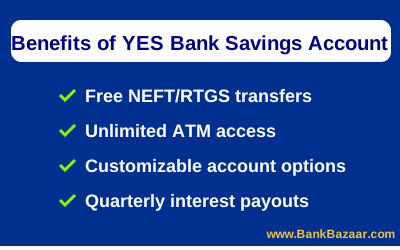
The benefits of opening a savings account with YES Bank are as follows:
- Take use of online banking's free NEFT/RTGS payment features
- Utility payments can be easily paid with your YES BANK savings account
- Access a vast network of ATMs at every bank in the country to take out cash
- Take advantage of free demand draft (DD) issuance through branches and online banking
- Take benefits from SMS and mobile banking services.
Other Banks offering Savings Account in India
Bank of Baroda Savings Account
Kotak Mahindra Bank Savings Account
Types of YES BANK Savings Account:
The many kinds of savings accounts that YES Bank offers are as follows:
- Digital Savings Account (YES)
- YES Pro Max Savings Account
- YES Pro Plus Savings Account
- YES Respect Savings Account
- Account for the Pradhan Mantri Jan-Dhan Yojana
- Account for YES Pro Savings
- My First YES Savings Account
- Account for YES Essence Savings
- Limited KYC for the YES Digital Savings Account
Documents Required for YES BANK Savings Account
To open a savings account with YES Bank, applicants must submit the listed documents. Self-attested copies of each document should be provided. The applicant must provide original documents at the time of verification.
- Identity proof (PAN Card, Voters ID, driving license, passport, Aadhaar card and NREGA card)
- PAN Card
- Form 60 (If you dont have a PAN card)
- Address proof (Passport, PAN Card, Aadhar card, Voters ID, driving license, and NREGA card)
- Latest photographs
Penalties for Not Maintaining Your YES Bank Savings Account's Minimum Balance
If you don't keep up the necessary average monthly balance (AMB), YES Bank will charge you. The following are the specific penalty charges that will take effect on 1 June 2026:
1. The General Structure of Penalties
- Balance above 100% of AMB: No fine
- 5% of the shortfall is the balance between 50% and 99% of AMB
- 10% of the shortfall (5% for Savings Value account) if the balance is less than 50% of AMB.
2. Penalties for Specific Account
Type of Account | Required AMB | Penalty |
YES Essence/YES Respect/Pro Plus | Rs.25,000 | Rs.750 |
YES PRO | Rs.10,000 | Rs.750 |
Kisan Savings | Rs.5,000 | Rs.600 |
Savings Account PRO Max | Rs.50,000 | Rs.1000 |
My First YES | Rs.2500 | Rs.250 |
Savings PRO – Limited KYC | NIL | NIL |
How to Calculate the YES Bank Savings Account Interest Rate?
Depending on the bank's policy, the interest rate on your savings account at YES Bank is computed every day based on the closing balance of your account and credited either quarterly or half-yearly.
The following formula is used to determine the interest rate on a YES Bank savings account:
Daily Closing Balance × Number of Days × (Interest Rate/100) ÷ Total Days in the Year = Monthly Interest
Let's give an illustration. Assume your savings account has a balance of Rs.5,00,000 with a 3% yearly interest rate. Applying the formula:
- Monthly Interest = 1,00,000 × 30 × (3/100) ÷ 365 = Rs.246 (approximately)
- The interest rate on the remaining balance is about 4,00,000 × 30 × (3/100) ÷ 365 = Rs.986 approximately
- Therefore, keeping a balance of Rs.5 lakh would result in an estimated Rs.1,232 in interest each month, or roughly Rs.14,784 over the course of the year
- The Yes Bank savings account in 2026 provides adjustable options to meet the demands of various customers, along with attractive returns. You can take advantage of simple banking services and optimize the interest rate on your Yes Bank savings account by keeping the required balance.
YES PAY
YES PAY is a digital wallet launched by YES BANK to facilitate smart phone and social media users to transact seamlessly for payments and receipts. All YES BANK customers and non-customers can register for this wallet and will receive a free virtual online card that can be used to make online transactions such as mobile and DTH recharges, purchase gift vouchers and discount coupons and pay bills.
Benefits of YES PAY
- Transfer funds to YES PAY users or bank accounts.
- Request for money from your contacts.
- Split bills or expenses amongst a group.
- Set goals to contribute a specified amount regularly for in-app purchases.
- Recharge your phone or DTH.
- Shop online at over 30,000 merchants with a single click.
- When you purchase a mobile or tablet with YES PAY, you can purchase insurance to safeguard you against expenses for handset damage, replacement and loss.
- Get attractive reward points for transactions made through YES PAY.
- Pay your bills.
- You can also download the latest songs across a variety of categories.
How to use YES PAY?
Download the mobile app and register for the wallet. Through Facebook, one can easily access their YES PAY wallet without registration. Enter your mobile number and then the OTP. Set a 6-digit PIN as your login. You need to enter your personal details and set secret questions. Your wallet will be created.
To use the YES PAY wallet you simply need to load money through your YES BANK account or any other bank account using Internet banking or a debit card, or IMPS. Once the money is in your wallet, you can transfer funds and pay for a variety of purchases and bills by selecting the "YES PAY" option while checking out.
Note: For the latest savings account interest rates, please refer to the rate table above or visit the nearest YES BANK branch or Yes Bank Official Site.
Savings Account Popular Pages
Other Products from Yes Bank Bank
GST of 18% is applicable on all banking products and services from July 1, 2017 onwards.
FAQs on YES BANK Savings Account
1.Where can I find my account statement?
Your account statement will be mailed to you at the address provided by you in the account opening form. If you have provided your email ID, you will receive an e-statement every month. Your account statement is also available in your online banking account.
2.What is the Grievance Redressal system?
If you have a complaint or query, you can send an email to YES BANK at yestouch@yesbank.in.
You can also call their "YES TOUCH" Phone Banking Number.
3.Is it possible to upgrade my savings account to a better variant?
Yes, you can change your savings account to another variant of your choice. You need to contact the nearest YES BANK branch, or the branch where you hold your savings account, to make the change or upgrade.
4.If no salary is credited to my YES BANK salary account, will I be charged?
If no salary is credited for 3 consecutive months, your account will convert to a regular savings account, requiring you to maintain the minimum average balance or face charges.
5.My salary account was converted to a savings account. I cannot maintain the minimum balance required for a savings account, what should I do?
Contact the bank immediately and communicate your situation. You might be given the option to maintain a zero balance savings account with the same features or with alterations. You can also close your bank account with YES BANK to avoid further charges.
6.Can I transfer my YES BANK salary account to my new organisation and continue to receive salary in the account?
Yes, if your new employer has a tie-up with YES BANK. Submit an official letter/email from your company to the nearest branch with your name and account details.
7.I am a YES BANK customer. Will I automatically be registered for YES PAY?
No. You need to register for YES PAY separately. While registering, you can use your Customer ID issued by YES BANK.
8.Are there any limits on the wallet usage?
Yes, the RBI sets limits on wallet loading amounts. Please check the YES PAY app or YES BANK website for the latest applicable wallet limits as of March 2026.
9.If I lost my smartphone, can I lock my YES PAY wallet?
Yes, there is an option to lock the YES PAY wallet. You can click on "Lock Wallet" when you are on the app. You can also call the YES BANK toll free number (1800-2000) to lock your wallet. No transaction can be carried out once it is locked. To unlock your wallet, you can use the OTP.
10.Can I use the YES PAY wallet at merchant outlets?
YES PAY Is accepted at over 40,000 merchants. If the merchant accepts this payment, you will be able to use your YES PAY wallet to pay for the transaction.

Karishma VP has over a decade of experience in content writing which includes over five years specializing in personal finance. Her career in BankBazaar has given her the opportunity to write on a wide variety of financial products ranging from credit cards and home loans to insurance policies and government schemes. She believes that an understanding of personal finance is an important step to leading an independent, empowered life. This has led to her being passionate about learning more about the BFSI sector and writing about personal finance as clearly, concisely, and accurately as possible to make it accessible to a larger audience through BankBazaar.

Disclaimer
Credit Card:
Credit Score:
Personal Loan:
Home Loan:
Fixed Deposit:


Copyright © 2026 BankBazaar.com.