


Union Bank Of India Net Banking
Union Bank of India has made several services more accessible to customers through the net banking feature which is online and completely free. From the transfer of funds to tax payments, you can view and manage all your transactions securely and quickly through the Union Bank of Indian Net Banking feature.

Union Bank of India Net Banking is an online service that lets customers do banking from home or anywhere using the internet. With it, you can check your account balance, transfer money, pay bills, and see your transaction history easily. Read on to know more about this banking service provided by Union Bank of India.
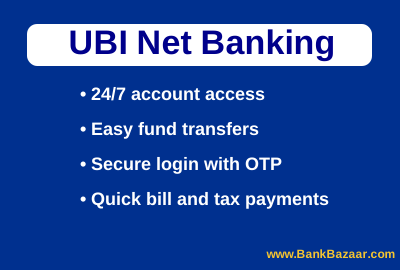
Services Provided Through UBI Net Banking
The following are the services that customers can avail themselves of through UBI Net Banking:
- Users can view the transaction activity from your savings account
- Download and view account e-statement
- UBI Net Banking helps with electronic fund transfer within or outside the bank
- UBI account holders can also avail electronic money transfer services like NEFT or RTGS
- Access UBI accounts from any part of the world 24*7
- Users can make both direct and indirect tax payments
- Online ticket bookings and bill payments
How to Register for UBI Net Banking?
There are three ways through which users can register for UBI Net Banking services. The following are the channels to register through:
- Debit Card Holder: Users can generate a User ID and password through the ‘Self User Creation’ option from the official website.
- Non-debit Card Holder: Click on ‘Register without an ATM card’ to register for Net Banking service to perform non-financial operations and examine banking information.
- Commercial Customers: Registration for net banking for these users can be done from the local UBI branch by filling in the application form.
How to Activate the Union Bank of India Net Banking Services?
The step-by-step procedure to activate for the net banking services is mentioned below:
- Visit the official website of Union Bank of India Net Banking and click on the "Self-User Creation" link.
- Select any of the options ‘Transaction Facility - Retail users with Debit Card’ or ‘View Facility - Retail users without Debit Card’.
- Enter your Account Number, Date of Birth or PAN Number, and Captcha Code.
- Based on the selection, you need to verify your account either by using Debit Card or any other valid proof available with the bank.
- You need to create a User ID, a log in password, and transaction passwords, which you will require to log in to your net banking later.
Note: You can access Internet Banking Services after two working days.
How to Reset the Union Bank Net Banking Password?
The step-by-step procedure to reset the password is mentioned below:
- Visit the official website of Union Bank of India
- Click on the option ‘Net Banking’ and then click on "Forgot/Create Password".
- Select either ‘Online reset of Login/Transaction Password- Retail users having Debit Card’ or ‘Online reset of Login Password- Retail users without Debit Card’.
- Click on ‘Continue’ and fill in the details such as User ID, Account Number, Date of Birth/ PAN Number, and Captcha Code.
- You will get an OTP on your registered mobile number.
- Fill in the OTP and change the Login Password as per the instructions.
Checking the Balance using UBI Net Banking
Union Bank of India customers will be able to check the balance that is available in the account once they have completed the registration process. They can login with their User ID and password to check account balance and conduct other banking activities such as fund transfer, download e-statement, pay credit card bills, and many more.
How to Transfer Funds via UBI Net Banking?
The step-by-step procedure that registered net banking customers must follow to transfer funds is mentioned below:
- Visit the official Union Bank of India website.
- Click on 'Retail Login' (For business account, click on 'Corporate Login')
- Enter user ID and password, click on ‘Login’
- Click on ‘Transaction’
- Select ‘Beneficiary Management’
- Fill in the details required including account number and IFSC, and click on ‘Continue’
- Select ‘Fund Transfer & Payments’ and choose as per your preference
- Enter the transaction password and OTP, and click on ‘Confirm Details’
- Select account from ‘Pay from Account’ and ‘Personal payees’ drop-down menu
- Enter the amount, transaction type (NEFT/RTGS), and remarks (if any)
- Enter the OTP received and click on ‘Confirm Payment’
Union Bank of India Net Banking Safety Tips
You can protect your account and personal information by remembering the points given below:
- Always type the bank website URL directly; ensure it starts with "https://".
- Always logout properly and avoid public or shared computers.
- Change passwords regularly and immediately if compromised.
- Never share your User ID, password, card details, OTP, or PIN.
- Ignore emails, calls, or messages that ask for your banking information.
- Keep your OS, browser, and antivirus updated.
- Enable the firewall and run regular antivirus scans.
- Watch for SIM swap fraud report any issues immediately.
- Check account statements and last login info regularly.
- Report any suspicious transactions to the bank immediately.
- Beware of phishing emails, SMS, or calls.
- Report any suspicious communication to antiphishing@unionbankofindia.bank.
- Never enter credentials in pop-ups or on unknown websites.
Customer Support for UBI Internet Banking:
UBI provides its customers with an efficient assistance service in case of any issues with internet banking. In case the user is facing trouble with their sign on or is unable to recover their transaction password, they can do the following:
- Call all-India Toll Free number on 1800 222 243/ 1800 425 15 15/ 1800 208 2244/ 1800 22 22 44 to reset the password and have a new password dispatched.
- Send an email to ebanking@unionbankofindia.com to get fresh passwords via speed post or courier.
Note: GST of 18% is applicable on all banking products and services from July 1, 2017 onwards.
Savings Account Popular Pages
FAQs on Union Bank of India Net Banking
1.Who is eligible for UBI net banking services?
Anyone having an operating account with UBI is eligible to avail themselves of their net banking services.
2.What do I need to avail Union Bank Net Banking Service?
A PC with PII processer, 32 GB RAM along with Internet Explore 6.0 or above is essential to avail Union Bank Net Banking service smoothly.
3.Are Non-Resident Indians (NRIs) eligible for Union Net Banking service?
Yes, NRIs are eligible for this service. They just have to visit the official website and select ‘Self User Creation’ option to generate User ID and password to access the services from any part of the world.
4.What do I do if I forget my User ID for net banking?
Contact the nearest UBI branch or send an email to ebanking@unionbankofindia.com providing every detail such as date of birth, address, account number and name. The bank representatives will reach out or send back an email informing your user ID.
5.Do I have to pay anything to activate Union Bank Net Banking?
No, the Union Bank of India does not charge anything from the users to activate the net banking services.
6.I am unable to login through the couriered user ID and password. What should I do?
User ID is case sensitive, so, check before entering it. If you are still unable to login, send an email to ebanking@unionbankofindia.com to inform your issue. The bank representatives will reach out to resolve your issue.
7.What should I follow while choosing my login password?
Make sure the password has a digit, a special character, and a letter. It should have a minimum of 8 and a maximum of 14 characters. The password should not have any space and also should not be the same as your last three passwords.

Disclaimer
Credit Card:
Credit Score:
Personal Loan:
Home Loan:
Fixed Deposit:


Copyright © 2026 BankBazaar.com.